
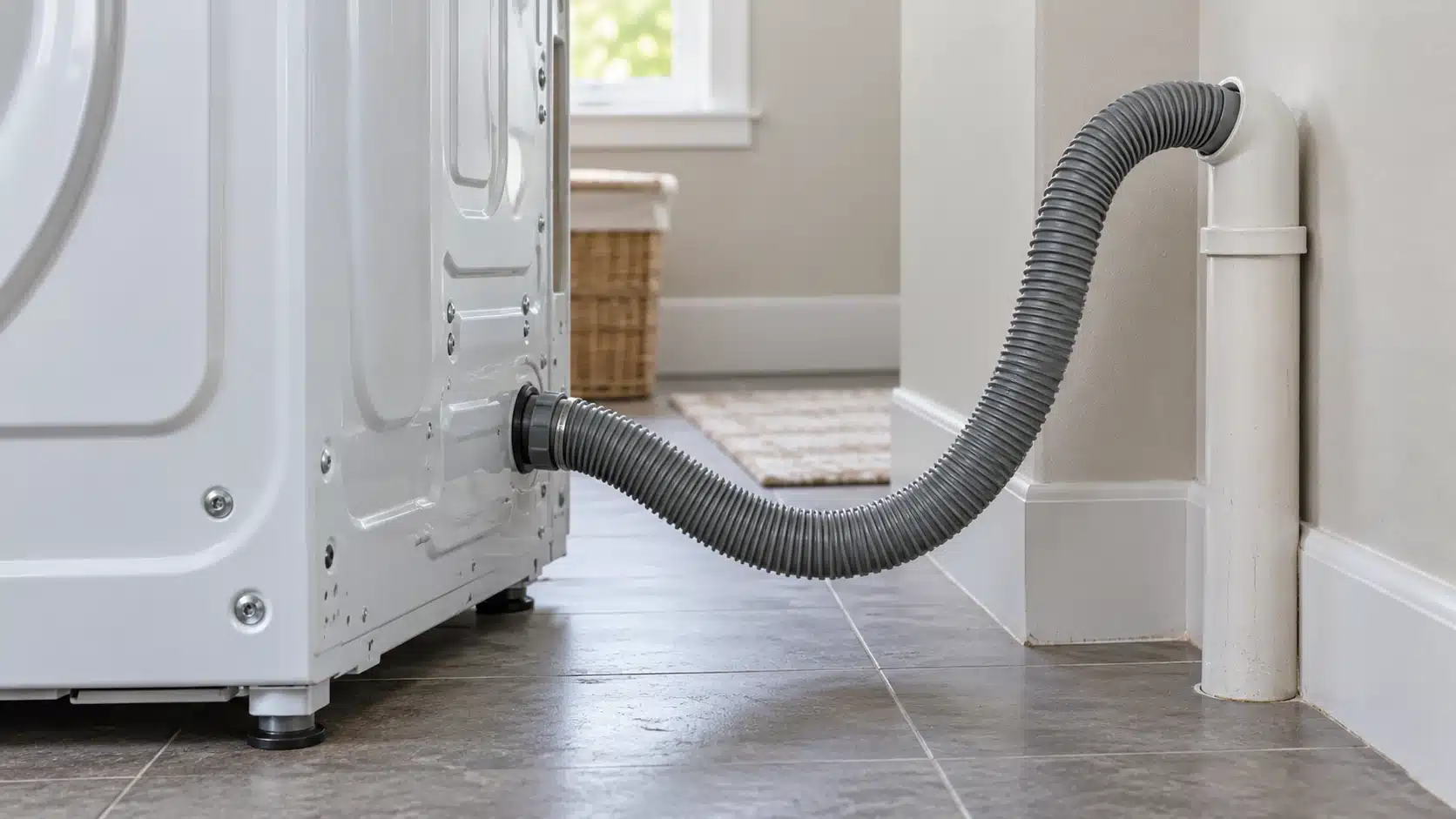
The LG washer OE code means the washer cannot drain the water from the wash cycle. On a front-load washer, check the drain hose for a kink or clog, run Spin Only, and listen for the drain pump. If it hums, clean the drain pump filter. On a top-load washer, check the hose for a bend, clog or pinching, then run Spin Only if your model has it.
Which LG Washer Do You Have?
| Washer type | Code shown | Where to start |
|---|---|---|
| Front-load | OE, E03 or E21 | Drain hose, then the drain pump test and filter |
| Top-load | OE | Drain hose, then Spin Only |
Front-Load Washer: How to Fix OE
- Check the hose. Look behind the washer for a kinked or clogged drain hose. Straighten or clear it, then run a spin cycle to see if OE is gone.
- Test the pump. Press Power, press Spin Speed until High is selected, then press Start/Pause to start Spin Only. Listen for a hum in the first 15 seconds.
- No hum. The drain pump is not running, so the washer needs repair.
- Hum. Clean the drain pump filter, as shown below.
How to Clean the Drain Pump Filter
- Press Power, then unplug the washer.
- Open the service panel at the bottom-left of the washer.
- Unclip the drain hose on the left side of the panel and take off its cap. Let the water run into a short bucket or shallow pan. Do not pull the hose out too far, because that kinks it. If no water comes out, push the hose back in about 1 inch.
- Put a towel under the filter, then turn the filter counter-clockwise to remove it.
- Clean the filter with a soft-bristle brush and warm water. Then use the brush to clear debris from the opening and its base.
- Put the cap back on the drain hose and reconnect it. Insert the filter, turn it clockwise until it stops, and close the cover.
- Run a Tub Clean cycle, then run a normal cycle to see whether OE is gone.
Top-Load Washer: How to Fix OE
On LG top-load washers, OE appears when the washer cannot drain for 13 minutes.
- Check the hose. Pull the washer away from the wall and look for a bent, clogged or pinched drain hose.
- Run Spin Only. Press Power, press Special Use until Spin Only lights, then press Start/Pause. The washer should spin out the water.
- No Spin Only on your model? Select a cycle and press Start/Pause. After a few minutes, press Start/Pause again to pause it. Wait 8 minutes until the display shows DR and the washer tries to drain. Then run an empty wash cycle.
- Run Tub Clean. If Spin Only ran without problems, run a Tub Clean cycle to clear buildup from the time the error was showing.
In cold weather, OE can also mean the drain hose is frozen. Remove the laundry and scoop out any water left in the tub. Pour warm water, 50 to 60°C (about 122 to 140°F), into the tub, close the door, and wait 1 to 2 hours. If the hose is still frozen, wrap a cloth wet with warm water around it. Then run Spin or Spin Only to drain the tub. Never use boiling water, which can burn you.
Too Much Detergent Can Cause OE
On front-load washers, heavy suds can trap air that the drain pump cannot clear. If the filter was already clear, run a Tub Clean cycle and use less detergent until the suds stop.
If OE Keeps Coming Back
If OE appears again after these checks, LG says the washer may need repair, so request service through LG Support. If the drum is still full and no code shows, read Clothes Washer Won’t Drain. If water backs up from the standpipe or house drain, see Washing Machine Drain Clogged. If the display shows UE instead of OE, read our LG Washer UE Code guide. More fixes are in the washing machine guides.
Sources
- LG US Support: Front load washer OE error code
- LG US Support: Top load washer OE error code
- LG US Support: Front load washer error code list
- LG US Support: Top load washer error code list
Last reviewed: November 1, 2026